# 🛠️ Administration Portal
The **Administration Portal** is a secure web-based interface used to manage ads and client configuration for the Ads SDK system.
It allows backend data to be updated dynamically, without requiring changes or redeployment of client applications.
## 🎯 Purpose
The portal exists to separate **ad management** from **app development**.
Using the portal, authorized users can:
- Control which ads are available
- Enable or disable ads instantly
- Configure ad behavior per client application
All changes take effect immediately for apps using the SDK.
## 🔐 Access
### 🔗 Portal URL
https://video-ads-sdk-git-main-talyas-projects-8ed6edb8.vercel.app/portal/login.html
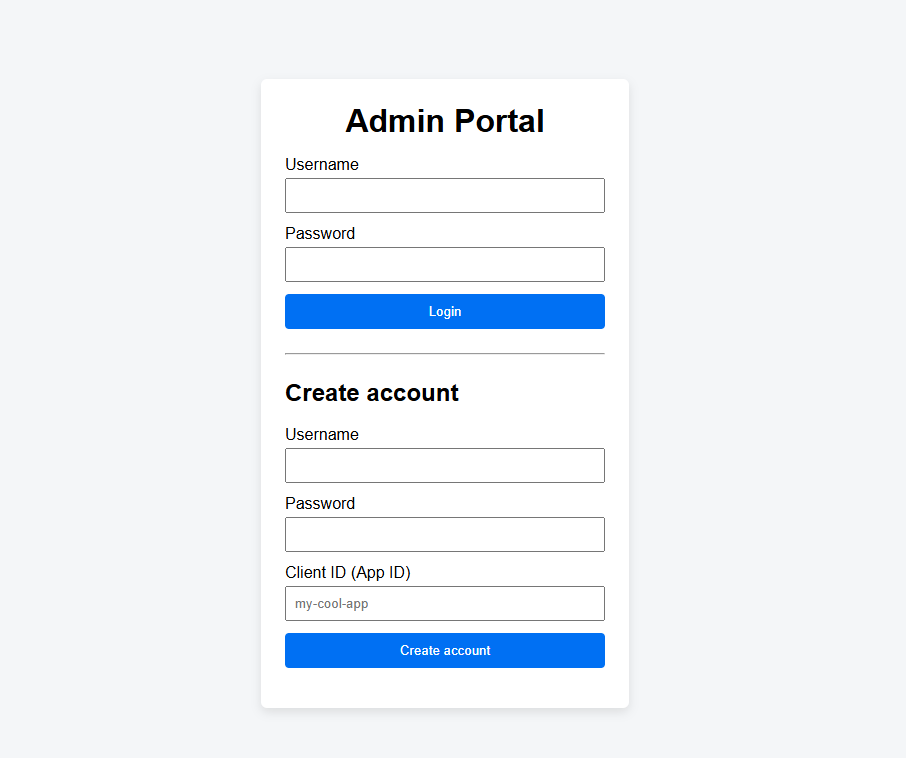
Access requires authentication.
Two roles are supported:
- **Admin** – full access to all clients and ads
- **Developer** – access limited to their own clientId
End users of host applications never access the portal.
## ✨ Features
- Secure login using JWT authentication
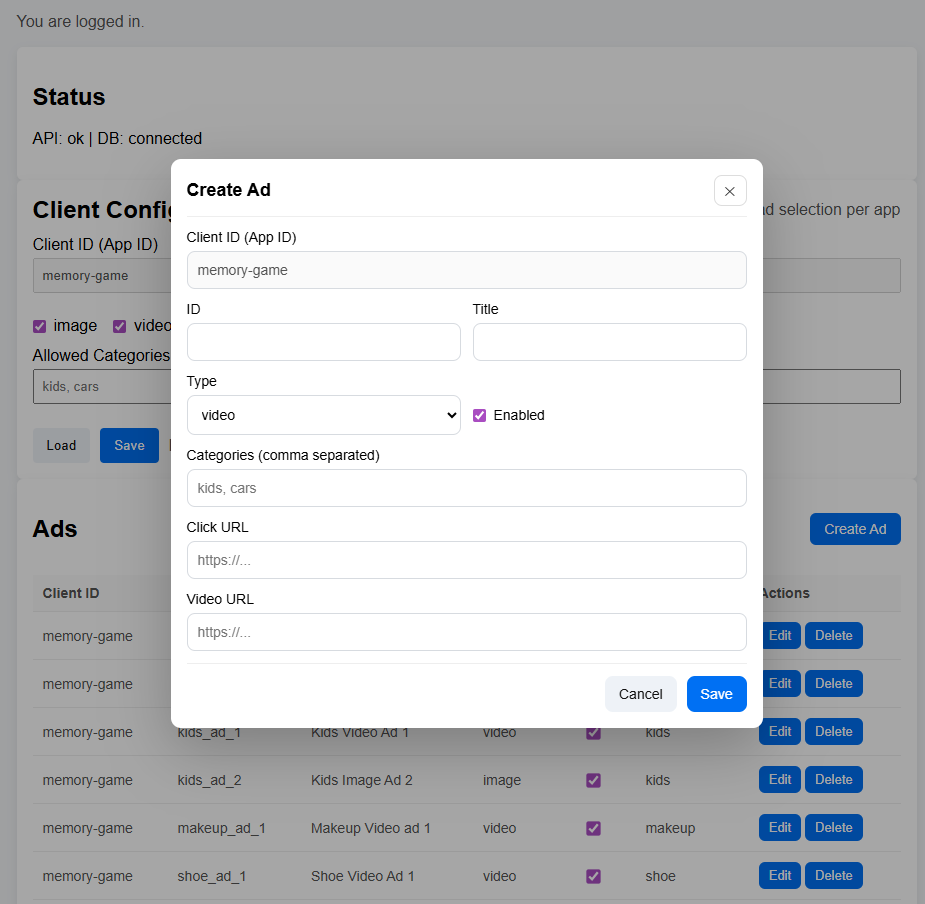
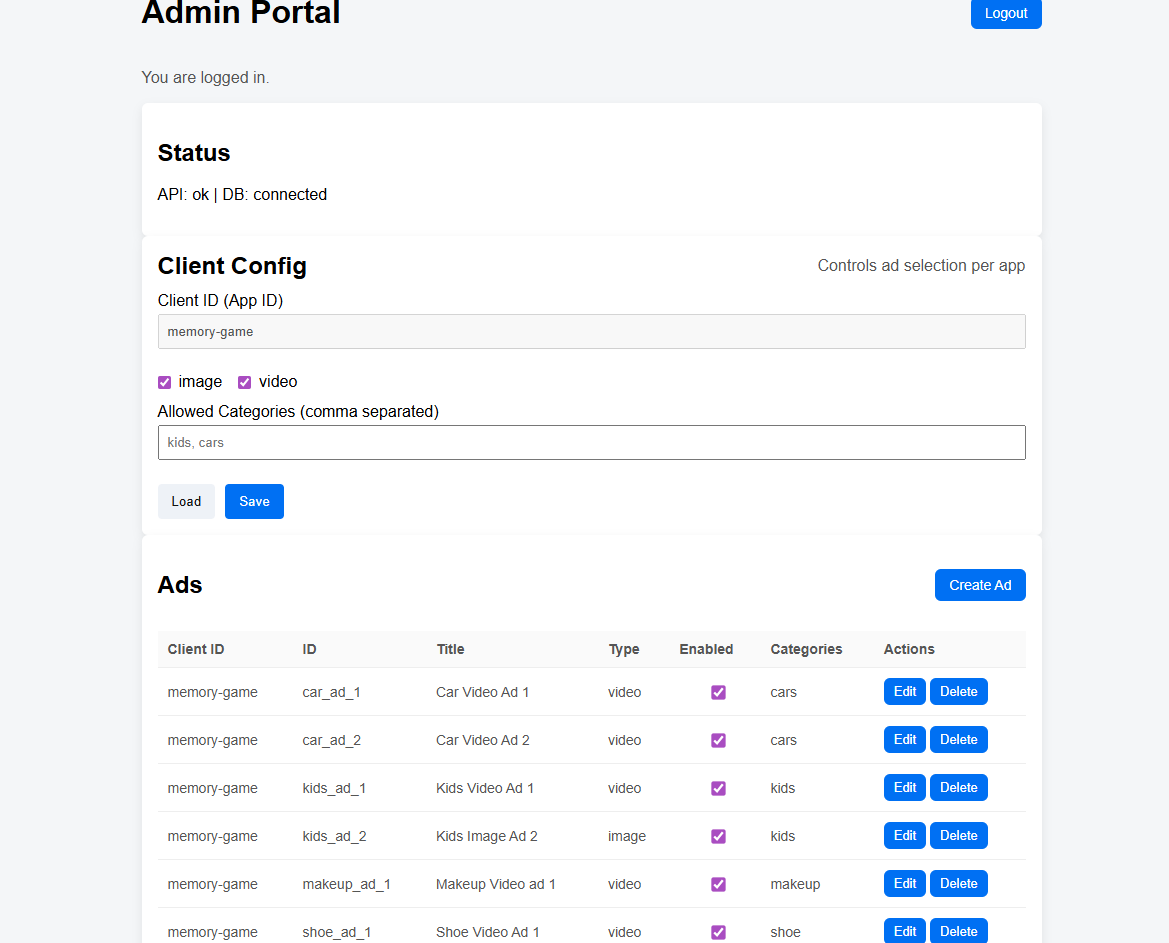
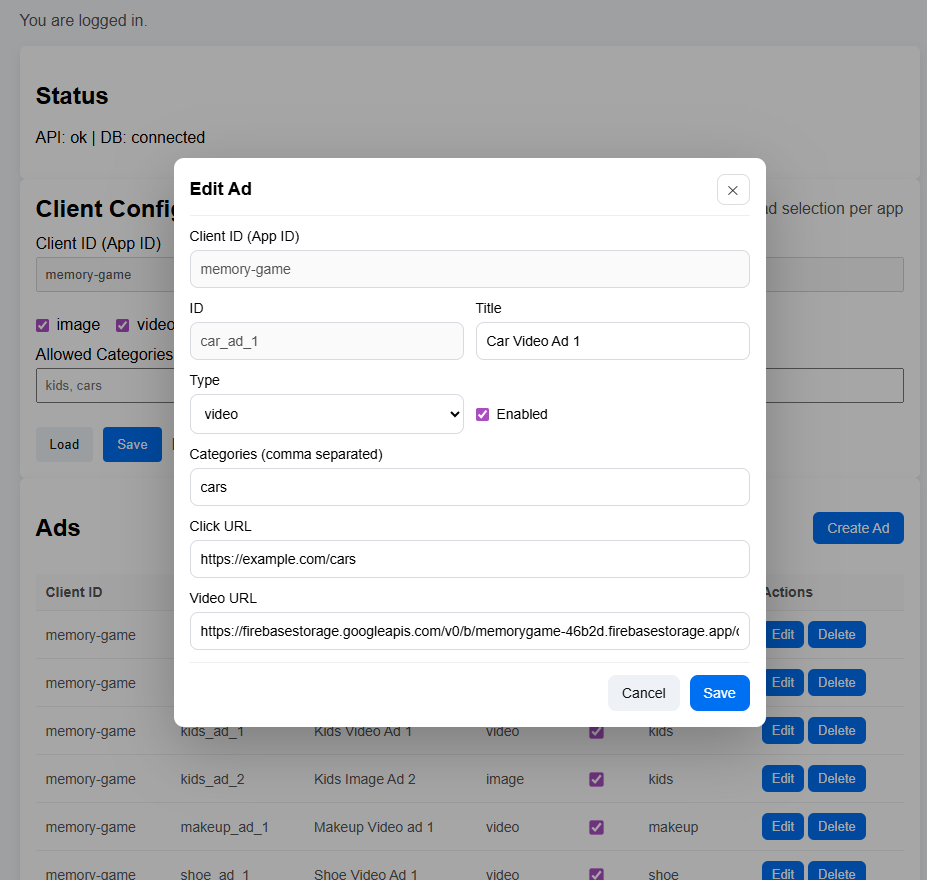
- Create, edit, enable, and delete ads
- Support for **image and video ads**
- Assign categories to ads
- Manage per-client configuration:
- Allowed ad types (image / video)
- Allowed categories
- Immediate effect on SDK behavior (no app updates required)
## 🔄 Typical Usage Flow
1. Log in to the portal
2. Select or enter a **clientId** (application ID)
3. Create or edit an ad:
- Choose ad type (image or video)
- Provide media URL
- Assign categories
4. Enable the ad
5. The Android app receives the updated ad automatically via the SDK
## 🧠 Relationship to the SDK
The Android Ads SDK communicates only with the backend API.
The portal is an **administrative tool** layered on top of the same API.
This separation ensures:
- Clean SDK integration
- Secure ad management
- No coupling between app code and ad data
## 🔗 Related
- [Android SDK Documentation](/video-ads-sdk/sdk.html)
- [Backend API Documentation](/video-ads-sdk/api.html)
📸 Portal Screenshots
🔐 Login & Account Creation
🧩 Main Dashboard
✏️ Edit Existing Ad
➕ Create New Ad